Premium Digital Menus

A beautiful online menu that syncs with your POS.

Tired of updating menus in ten places? Tilvo connects directly with your POS to sync pricing and stock, while giving regular guests an interactive ordering experience.

Restaurant operator Restaurant chef Restaurant owner

Trusted by 1,200+ restaurants driving direct, zero-fee customer checkouts.

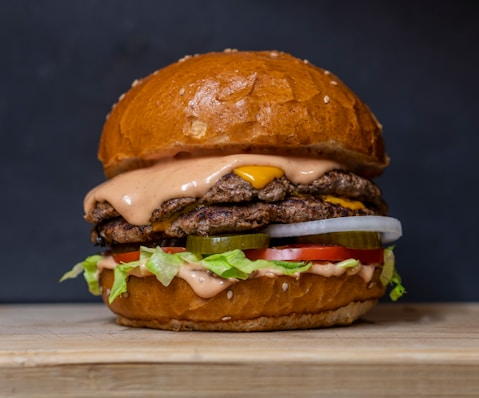
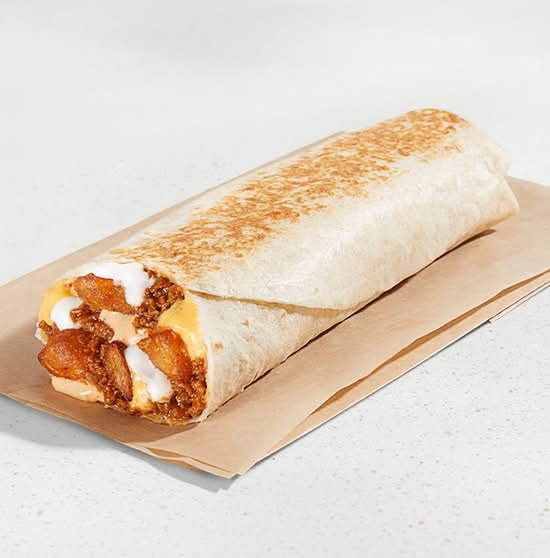
Artistic direct online menu item showcase
POS Connected

Instant Synchronized Menus

Clover, Toast, and Lightspeed updates populate to your direct ordering store, mobile apps, and search pages in 3 seconds flat.

World-Class Management

Complete menu customizer built to maximize revenue

Seamless POS Sync

Ditch the double work. Tilvo synchronizes categories, items, prices, and stock indicators directly with Clover and Toast in real-time.

AI-Powered Menu Copywriter

Write mouthwatering descriptions instantly. The built-in AI copy generator creates sales-oriented, allergen-aware copy in one click.

Conversion-Optimized Modifiers

Increase your average check size. Guide guests through seamless option groups, upsells, and required customizations naturally.

Interactive Visual Tour

Sleek Dashboard Interface Tour

Take a high-fidelity tour of the Tilvo Menu Manager. Hover or click on the pulsing hotspots to discover how the system accelerates operations and sells more.

menu.tilvo.ai/sable-and-silk/items
Sable & Silk Items Manager Dashboard
Real-time Clover POS Synced

Integrates instantly with Clover, Toast, and Lightspeed. Item changes are synchronized automatically in 3 seconds flat.

Primary Customizer Builder

Clicking "Create Item +" slides open the rich sidebar drawer to write descriptions, customize option modifiers, and upload food images.

Instant Availability Toggles

Toggle dish availability on or off in one click. Instantly hides out-of-stock items on your mobile app and online web menus.

menu.tilvo.ai/sable-and-silk/create
Sable & Silk Create Item Drawer
Glowing AI Description Writer

Click "Generate" to instruct our built-in culinary AI tool to construct highly appealing, descriptive copy detailing ingredients and flavors.

Dietary Allergen Badges

Mark items Gluten-Free, Vegetarian, or Alcohol instantly. Feeds search page filters to guide guests looking for food options.

Custom Modifier Groups

Attach required choices or optional add-ons (sauces, sides, double proteins) to increase average ticket sizes naturally at checkout.

menu.tilvo.ai/sable-and-silk/menus
Sable & Silk Menus configuration
Time-Restricted Schedules

Segment menus by day parts (e.g., Bobos Breakfast Menu, Lunch Menu, Dinner Menu) to separate kitchens prep shifts.

Automatic Schedule Triggers

Restricts visibility according to kitchen hours (e.g. 9:00am - 11:00am). Ensures guests can only order cook-ready food items.

POS Synchronization

Real-time Clover Sync

Any menu updates, item listings, pricing modifications, or category groups adjusted directly on your Clover or Toast POS synchronize with your digital ordering pages instantly. Zero manual duplicate entry.

Click hotspots directly on the screenshots or hover the background slides to discover each custom dashboard flow.

Interactive Demo

Try the Tilvo Menu Manager

Explore the exact dashboard interface. Toggle tabs, check list availability, or click Create Item + to customize modifiers and trigger the AI Description generator.

Items

Restaurant Admin
Item Price Source Availability
Shrimp Fried Rice
Shrimp Fried Rice A delicious combination of fluffy rice stir-fried with succulent shrimp, mixed veget...
$20.00 Clover
•••
Spicy Basil Noodles
Spicy Basil Noodles Flat rice noodles wok-tossed with fresh thai holy basil, crushed red chilies, bell peppers, onions, and garlic sauce.
$18.50 Clover
•••
Beef Broccoli
Beef Broccoli Tender strips of premium beef sautéed with organic crisp broccoli in a rich, savory garlic ginger soy reduction.
$22.00 Clover
•••
Veggie Spring Rolls
Veggie Spring Rolls Crispy wrappers packed with carrots, cabbage, wood ear mushrooms, glass noodles, served with sweet chili dip.
$9.00 Clover
•••
Showing 4 items out of 4

Create item

Basic Info

Drag & drop here or Browse file

(600×600 px)

$
Includes
Alcohol
Gluten Free
Vegetarian
Calories count
Advance Settings
Apply taxes
Popular Item Popular items are highlighted on your website for marketing
Upsell Item Upsell items will be promoted to your guests as they order
Availability
Categories
No option groups added
Option groups

Options allow customers to customize an item.

No option groups added

Tilvo Advanced Modifiers

A smarter menu builder that sells for you

Static PDF menus lose customers. Generic ordering tables lead to abandoned checkout forms. Tilvo organizes modifiers, cross-sells, and descriptions into a streamlined path.

Real-time POS Integrations

Clover & Toast Automatic Sync

Updating menus on your POS shouldn't require copy-pasting into three other platforms. Tilvo automatically registers your POS price raises, category additions, and out-of-stock items instantly.

✓ Two-Way POS Link Connected Updated just now
POS Sync Status Synced 240 items across 12 categories. Zero duplicate data entries.
Upsell Engine

Option Modifiers

Prompt guests with intuitive upsells. Suggest organic egg additions, protein upgrades, or sides naturally at checkout.

Add protein modifiers
Choose Additions:
+ Grilled Shrimp +$6.00
+ Sautéed Chicken Breast +$4.50
Copywriting

Magic AI Writer

No more blank descriptions. Type raw food items and generate high-converting, appetizing descriptions automatically.

AI Generated Description
"Wok-tossed jasmine rice with fresh Gulf shrimp, farm-fresh eggs, baby scallions, and sweet peas finished with an authentic soy drizzle."
Conversion Optimized

Order Conversion Paths

Give guests high-resolution item imagery, clear allergens badges, and instant tap-to-add pathways. Tilvo online menus are tested on over a million active checkouts to ensure guests buy.

Tilvo Digital Menu Checkout Conversion 32.8% Conversion Rate
Industry Standard PDF/Table Checkout 12.4% Conversion Rate

FAQ

Menu Management Questions, Answered.

How does the POS integration sync work?

Tilvo establishes a two-way connection with your POS (Clover, Toast, or others). Any item name, price, category, or stock change updated on your POS is pushed instantly to your online menu. Alternatively, you can manage it from the Tilvo dashboard and push updates back.

Can I add dietary and allergen badges to items?

Yes. You can instantly mark items as Gluten-Free, Vegan, Vegetarian, Halal, Nut-Free, or containing Alcohol. These badges show up beautifully to guests and allow active filtering on the live ordering menu.

How does the AI Description Generator work?

Simply type in a few key ingredients or culinary notes, and click "Generate". The integrated AI engine analyzes the inputs and constructs a professional, high-converting dish description, highlighting flavors and culinary accents.

Are there options for time-restricted menus (like Breakfast or Dinner)?

Absolutely. You can create multiple distinct menus (e.g., Breakfast Menu, Lunch Special, Happy Hour, Dinner Menu) and assign active availability hours to each, ensuring guests only see items that are ready to cook.

Connect Your Restaurant

Get an elegant digital menu that syncs in seconds

Get a free demo